
NEWYou can now listen to Fox News articles!
If you’ve locked down your home Wi-Fi with a strong password, you’re already ahead of the game. But here’s the reality: a password alone isn’t enough to keep your online activity private.
Most people think of Wi-Fi security as simply keeping strangers off their network. And while that matters, it’s only part of the picture. Even with a secure password, your internet activity can still be visible to others in ways you might not expect.
A Wi-Fi password keeps people out, but it does not hide what happens inside your connection.
Sign up for my FREE CyberGuy Report
- Get my best tech tips, urgent security alerts and exclusive deals delivered straight to your inbox.
- For simple, real-world ways to spot scams early and stay protected, visit CyberGuy.com trusted by millions who watch CyberGuy on TV daily.
- Plus, you’ll get instant access to my Ultimate Scam Survival Guide free when you join.
DO YOU NEED A VPN AT HOME? HERE ARE 10 REASONS YOU DO

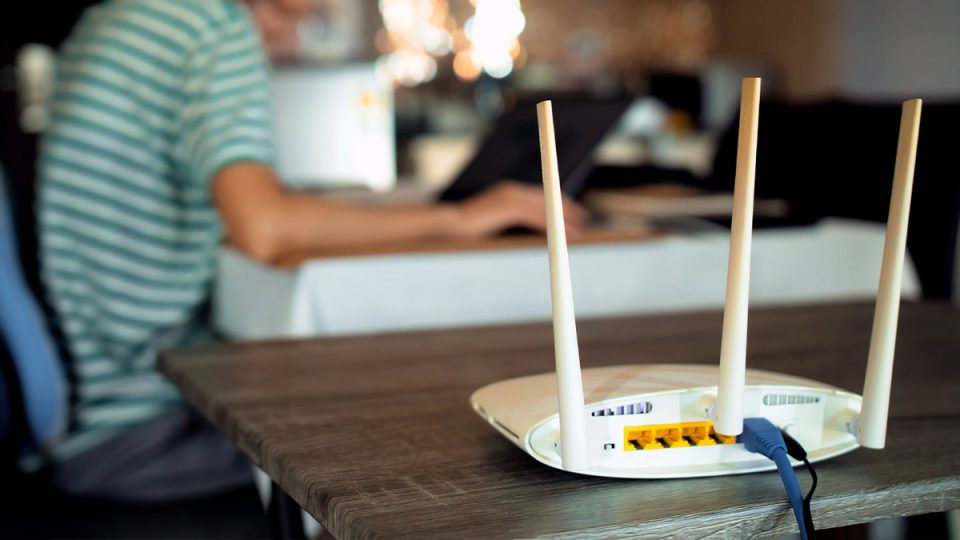
A strong Wi-Fi password can keep intruders off your network, but it does not stop others from seeing what you do online. A VPN adds encryption and helps protect your privacy. (trumzz/Getty Images)
Who can still see your data?
When you connect to the internet at home, your internet service provider (ISP) can see a surprising amount of what you do online. That can include the websites you visit, how long you spend on them and sometimes even more detailed activity.
In some cases, that data can be:
- Logged and stored
- Shared with third parties
- Used to build advertising profiles
And it’s not just your ISP. Websites, apps, big tech companies, governments and data brokers are constantly collecting information about your behavior, often without you realizing it. Think of it this way: your password locks the front door, but once your data leaves your house, it can still be exposed along the way. That’s where a VPN comes in.
How a VPN adds real privacy
A virtual private network (VPN) creates a secure, encrypted tunnel between your device and the internet. That means your data is scrambled before it leaves your home network, making it much harder for anyone to see what you’re doing online.
In addition, connecting to a VPN server gives you a new IP address, so your online activity can’t be easily traced back to you. This makes it harder for advertisers, social networks and scammers to construct behavioral profiles, which can be used to target you with things like phishing attacks.
With a VPN:
- Your browsing activity is hidden from your ISP
- Your IP address is masked, making tracking more difficult
- Your connection is encrypted, even on everyday home Wi-Fi
SPRING CLEAN YOUR DIGITAL FOOTPRINT: WHY RETIREES ARE SCAM TARGETS

Even on protected home Wi-Fi, your ISP and other companies may still see parts of your online activity. (Liudmila Chernetska/Getty Images)
Many VPN services are popular for their speed, simplicity and overall feature sets. This becomes even more important if you ever use public Wi-Fi, where your data is far more exposed.
What does this mean in practice?
For starters, most VPN services are easy to use. They offer apps for nearly every device imaginable, including options that work directly with routers. These apps are straightforward to set up and configure.
Once running, a single click or tap is all it takes to change your virtual location, mask your IP address and encrypt your connection. High-speed servers mean they don’t fall into the trap of slowing you down. In many cases, using a VPN can even provide more consistent, reliable speeds.
With a more anonymous IP address, your ISP is also less able to throttle (cap) your connection speeds, as some providers do.
Setting up a VPN on your router protects every device in your home automatically, including smart TVs, gaming consoles and other connected devices.
Many VPN providers now go beyond basic protection and offer additional privacy tools. These can include password managers, email protection, identity monitoring and even private AI tools designed to keep your data more secure.
In short, it’s no longer just about securing your connection. It’s about protecting your entire digital footprint.
A smarter way to protect your home network
Your home Wi-Fi is the gateway to everything you do: online banking, shopping, working and staying connected. Relying on just a password is like locking your door but leaving the curtains wide open.
Adding a VPN gives you an extra layer of privacy that works quietly in the background while enhancing every corner of your digital life.
It’s about being prepared, sure. But it’s also about peace of mind.
5 SIMPLE TECH TIPS TO IMPROVE DIGITAL PRIVACY

A secure password protects your router, but not necessarily your digital footprint. Using a VPN can help keep your browsing, IP address and home network more private. (MANDEL NGAN/AFP via Getty Images)
Ways to protect your privacy beyond a password
- Use a VPN on your home network and public Wi-Fi
- Enable automatic updates on all your devices
- Use strong, unique passwords and consider a password manager
- Turn on two-factor authentication (2FA) whenever possible
- Limit app permissions and review privacy settings regularly
For the best VPN software, see my expert review of the best VPNs for browsing the web privately on your Windows, Mac, Android and iOS devices at CyberGuy.com.
Kurt’s key takeaways
A strong password is a smart first step, but it only protects who gets onto your network, not what happens to your data after it leaves. Your internet activity still passes through systems designed to track, analyze and sometimes profit from it. Adding a VPN shifts the balance back in your favor by encrypting your connection and limiting how much others can see. It is a simple upgrade that turns basic security into real privacy, without changing how you use the internet day to day.
CLICK HERE TO DOWNLOAD THE FOX NEWS APP
Where should we draw the line between staying connected and staying private? Let us know by writing to us at Cyberguy.com.
Sign up for my FREE CyberGuy Report
- Get my best tech tips, urgent security alerts and exclusive deals delivered straight to your inbox.
- For simple, real-world ways to spot scams early and stay protected, visit CyberGuy.com trusted by millions who watch CyberGuy on TV daily.
- Plus, you’ll get instant access to my Ultimate Scam Survival Guide free when you join.
Copyright 2026 CyberGuy.com. All rights reserved.
